For Teal vs Huntr, Teal is a strong fit when you want a polished tracker and resume workspace. Huntr is useful when you want visual pipeline tracking, saved-job organization, and application tools. PlacementOS fits when the problem is not just tracking roles, but deciding which roles fit, what proof is missing, and what to do each week.
Quick Answer: Job tracker or full job-search workflow?
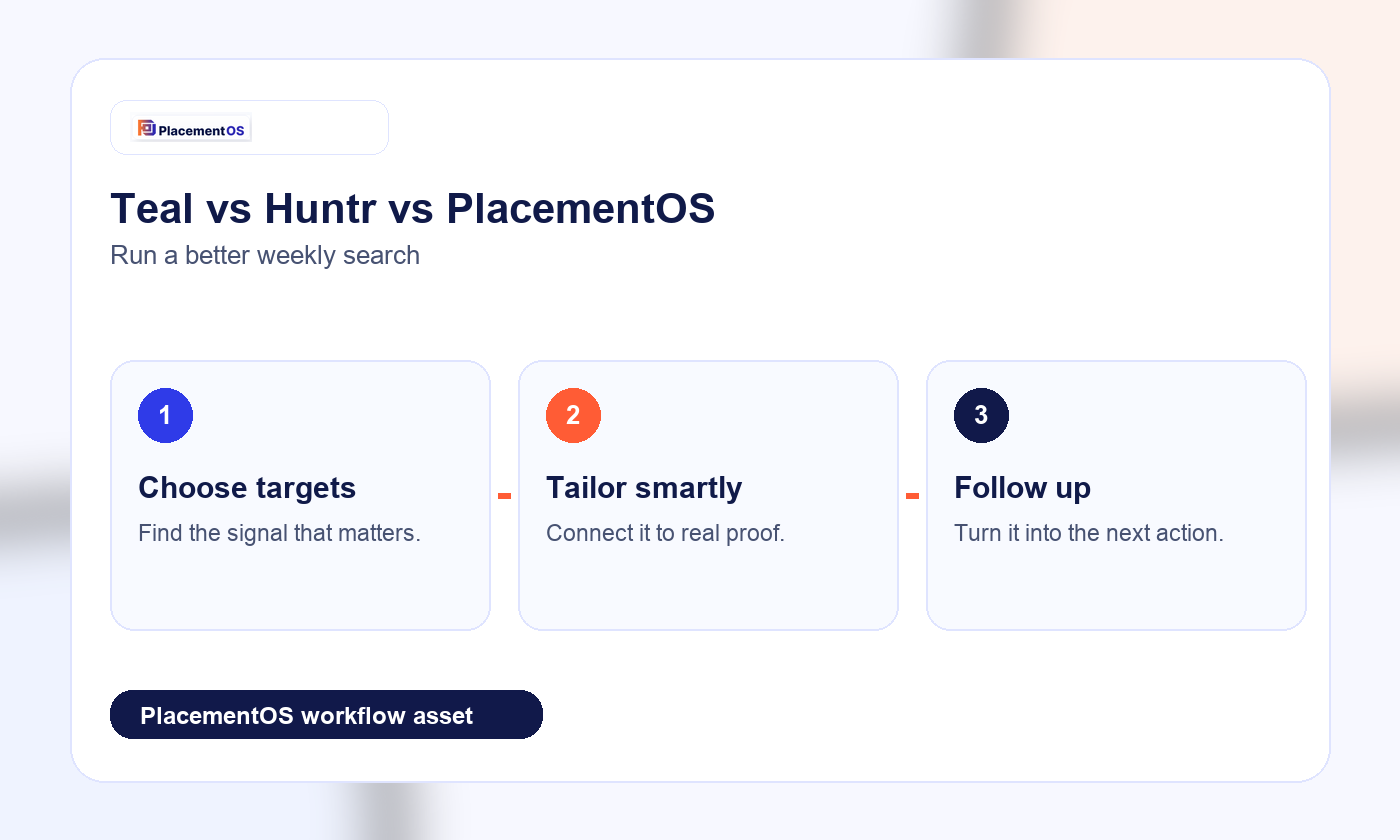
Teal and Huntr are useful for organizing applications. PlacementOS should be framed as the next layer when tracking has to connect to resume fit, AI resume tailoring, interview prep, and weekly execution. The tracker should tell you what to do next, not only where each application sits.
| Workflow stage | Tracker-only risk | PlacementOS angle |
|---|---|---|
| Save job | Too many saved roles | Prioritize by fit and effort |
| Tailor resume | Generic edits | Use keyword-to-proof matching |
| Follow up | Forgotten tasks | Weekly operating cadence |
Quick comparison
| Need | First option | Second option | PlacementOS angle |
|---|---|---|---|
| Job tracking | Strong tracker and job-saving workflow | Visual board and job organization | Tracking connected to fit, proof, and next actions |
| Resume tailoring | Resume builder and job-specific resume support | AI resume builder and tailoring tools | Tailoring tied to role-fit evidence |
| Follow-up discipline | User-managed cadence | Board/task-driven cadence | Weekly operating loop is the center |
| Best user | Organized candidate who wants a clean tracker | Visual tracker user who wants application utilities | Candidate who needs decision support and execution rhythm |
Quick recommendation by user type
Choose Teal if your main need is a clean place to save roles, organize applications, and manage resume versions. Choose Huntr if you like a visual pipeline and want job-search utilities around saved jobs, resumes, cover letters, and application forms. Consider PlacementOS if your search keeps stalling after organization: you have roles saved, but you still need to know which ones are worth targeting, which bullets prove fit, and what weekly action plan to follow.
Tracker versus operating system
A job tracker answers: what did I apply to, where is it in the pipeline, and what should I follow up on? A job-search operating system adds another layer: which opportunities are high fit, what proof does each resume need, what should be avoided, and what should change based on response data. That distinction matters because many candidates do not fail from a lack of tools; they fail from a lack of prioritization.
Resume tailoring and proof quality
Teal and Huntr both speak directly to resume creation or tailoring in their public product positioning. The risk for any resume tool is score chasing: adding keywords because a tool detected them, even when the candidate does not have proof. PlacementOS should be used as a proof-mapping layer. The goal is to separate proven skills, adjacent skills, and absent skills before rewriting bullets. That keeps the resume sharper and safer.
Follow-up and weekly review
Trackers are valuable only if the candidate actually reviews the board. A weekly review should ask: which roles are still worth pursuing, which applications got responses, which resume version performed better, which networking follow-ups are due, and which job category should be deprioritized. PlacementOS should make that cadence explicit instead of leaving it as optional housekeeping.
When Teal or Huntr may be enough
If your target roles are clear, your resume proof is already strong, and your main pain is organization, Teal or Huntr may be enough. In that case, the important move is consistency: save every role, tag each application, and keep follow-ups current. PlacementOS becomes more relevant when a candidate has too many possible roles, unclear fit, weak bullets, or no feedback loop from applications.
Where PlacementOS should fit
PlacementOS should not be framed as a generic tracker replacement for everyone. It should be framed as the execution layer for candidates who need role-fit decisions, proof rewrites, application quality control, and a weekly operating cadence. The tracker is still useful, but the main value is deciding what deserves the next hour of work.
Decision rule
Related PlacementOS guides
Use these guides to connect resume fit, ATS checking, and job-search workflow decisions before you apply.
Use Teal or Huntr when organization is the bottleneck. Use PlacementOS when decision quality is the bottleneck: too many roles, unclear fit, generic bullets, inconsistent follow-up, or no weekly review loop. The best setup may also combine a tracker with a disciplined resume and targeting workflow.
Related PlacementOS guides
- Teal alternative: job search operating system
- Huntr alternative: job search operating system
- Best AI job search tools for a 7-day sprint
- Resume score vs job match score
FAQ
Is Teal better than Huntr?
It depends on workflow preference. Teal is often a clean fit for resume and tracker organization. Huntr is useful for visual pipeline management and job-search utilities. The better choice is the one you will keep updated every week.
Is Huntr enough for a full job search?
Huntr can cover a lot of organization and application workflow needs. It may not be enough if you need deeper role-fit decisions, proof rewriting, or a structured weekly strategy beyond tracking opportunities.
When should I use PlacementOS instead of a tracker?
Use PlacementOS when you need to decide which roles fit, rewrite resume proof for specific postings, and run a weekly application loop instead of only storing jobs in a board.
Sources
- Teal job tracker product page
- Teal resume builder product page
- Huntr job search platform
- Huntr job application tracker
Use PlacementOS when the job search needs to become a repeatable workflow: choose better roles, prove fit truthfully, apply with quality, follow up, and learn from each week.